

Design for elderly
No matter what your age is, our user-friendly interface makes your design simple
Medium
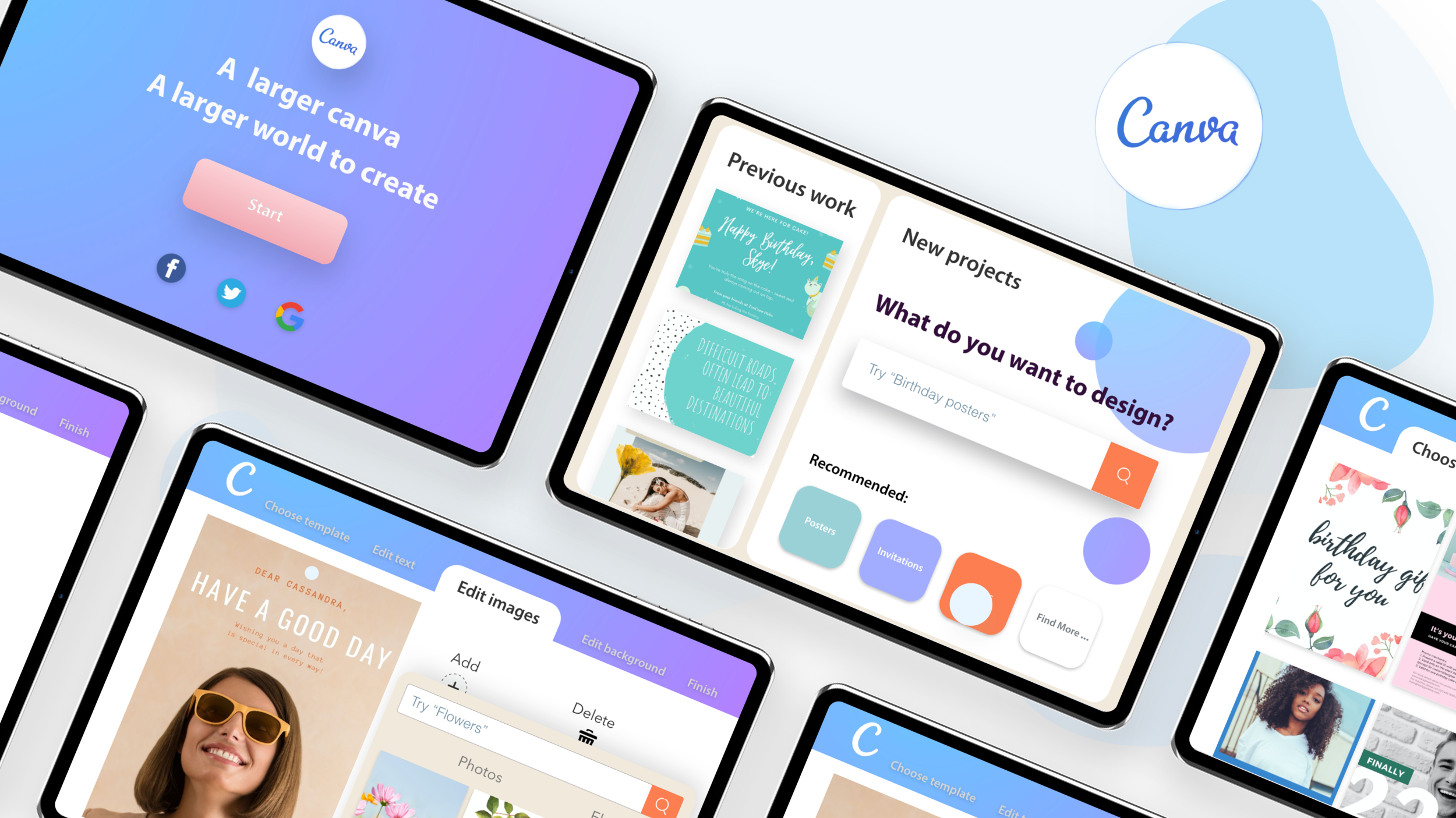
Laptop Interfaces
Ipad Interfaces
Design Platform Canva
Methodology
User-centred Design
User Research Ordinated Design
Interaction Design
Design Thinking Methods
Tools
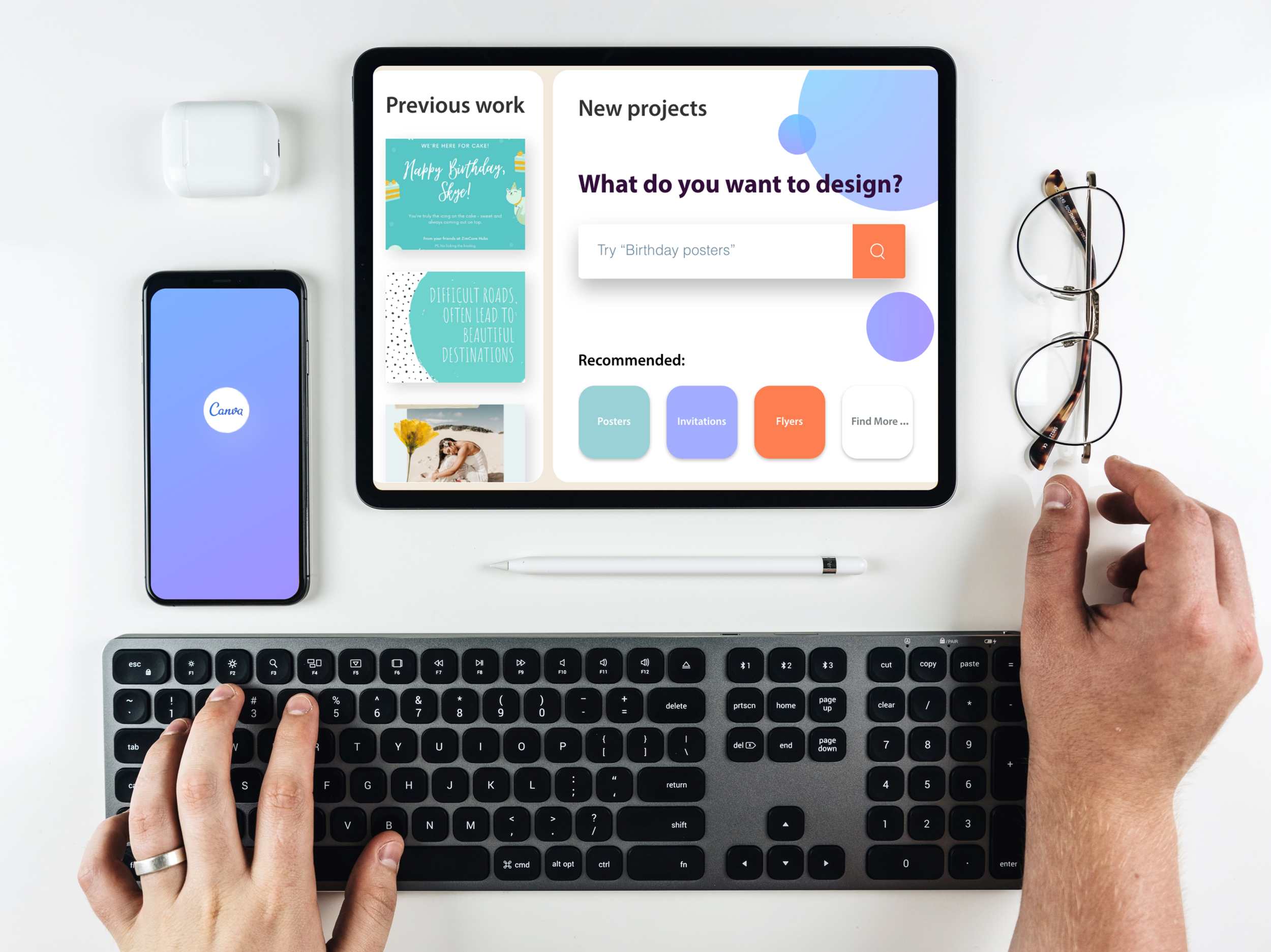
Prototypes
Ipad
Stickers
Adobe Design Softwares
3D Modelling Softwares
Roles in Team
User Research-Cecilia & Wenya
Paper Research-Vivian
Product 3D models-Wenyan
User Interfaces-Cecilia
Time Management-Vivian
Requirements from Canva:
For the business explanation proposal, Canva focuses on providing a better design experience for different age groups. Finding out the potential user and bringing them an excellent design experience.
Based on the research provided from Canva in 2020 shows Canva users congregated in the 20-55 age group which shows a huge blank in the elder and younger groups.
With the deepening of the user research, we find out the daily design demands from the elderly people stays strong, such as design a birthday card for the family; a simple poster for the club etc.. And the finding have been proved in our user interviews. Therefore, the target user and the problem space can be clarify as below:
Target user
65+ elderly people who need to use Canva to complete the design work.
Problem Space
To bring a better design experience with technology for elderly people who have suffered from physical and mental declines.
Research approaches & Problem definition
To deep understanding of the target user needs and problems and conduct a clear definition of the problem space
Online picture preference of the elderly people : use Memes as the example

Big Character
The preference matches the fact that the elderly suffer from vision declines and vision impairment.

Cute
The website trend shows up elderly group prefer “cute“ images

Colourful
The elderly are easier to attach with high-saturation pictures.
Research Approaches
The main approaches contain four aspects: Academic articles research, interviews, questionnaires and study on Canva (estimated Canva from elderly views).
The picture below shows the result summary from academic articles. Based on 20+ articles, the key barrier factors included physical issues and mental issues that significantly impacted the life quality of elderly people.
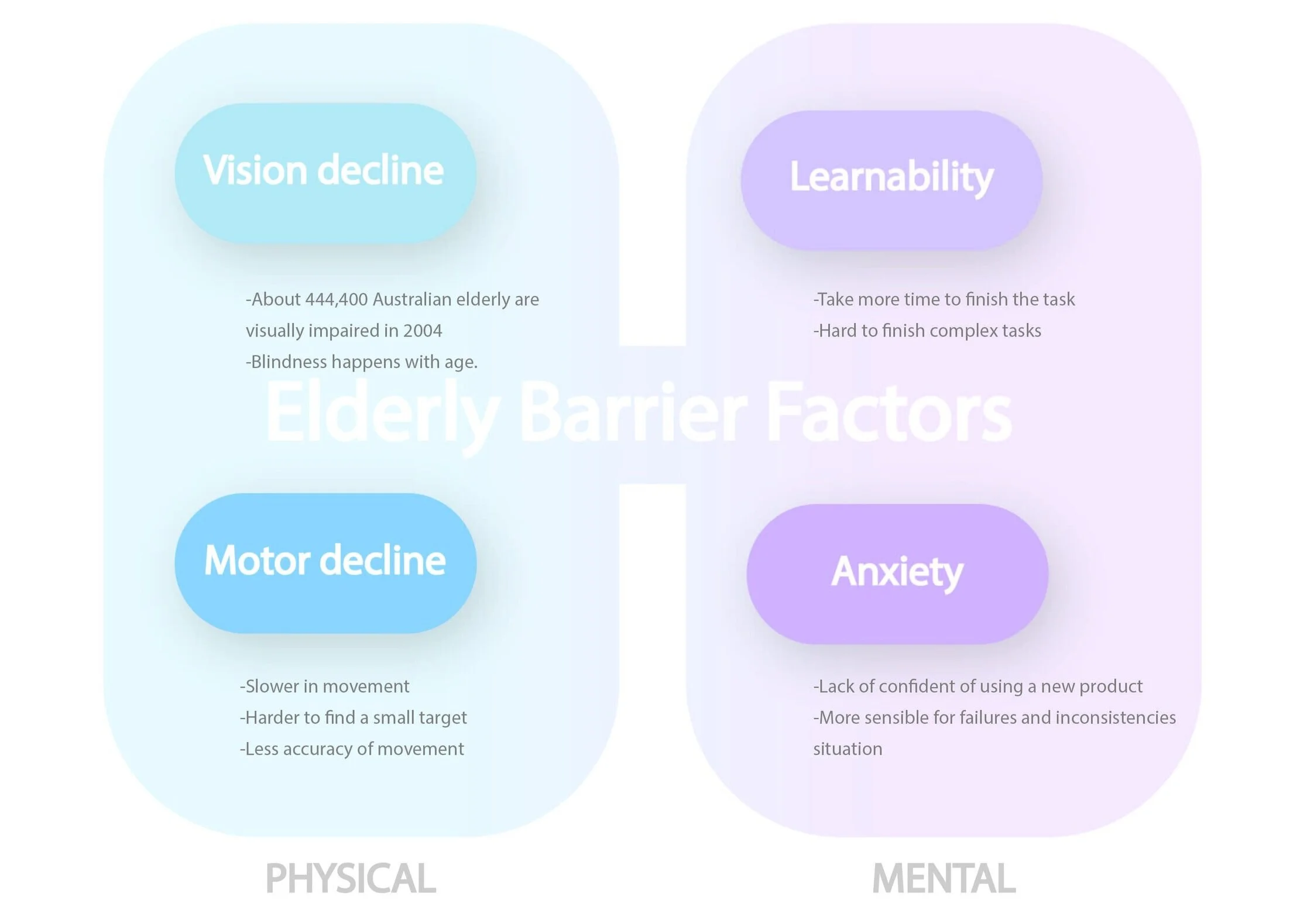
Picture: Elderly barrier factors of using new technology
Vision decline
Pointing time
Learnability
Problem Space
To bring a better design experience with technology for elderly people who have suffered from physical and mental declines.
Challenges
Simplified practical steps so that older people do not find it challenging to use Canva
Fluently experience for the elderly
A clear navigation bar to reduce the anxiety level for the elderly
Bigger size words but still consistent style with Canva
My responsibilities
Define the user problem space and elderly barriers.
Study on Canva functions and find out the limitations and constraints specific for the elderly
The low-fidelity prototype
User tests of the low-fidelity prototype and iterations
The high-fidelity prototype
Approaches
-
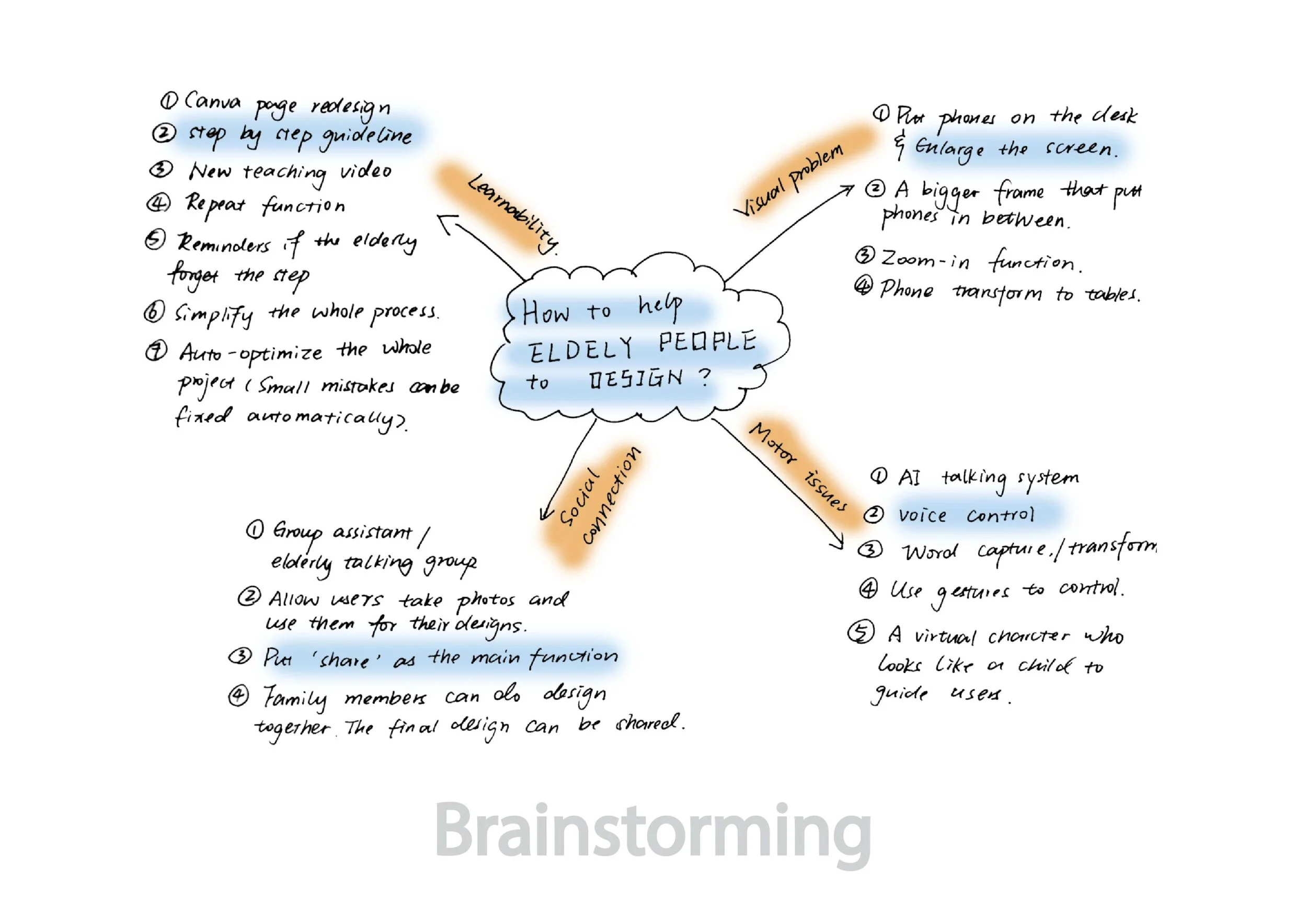
Brainstorming
-
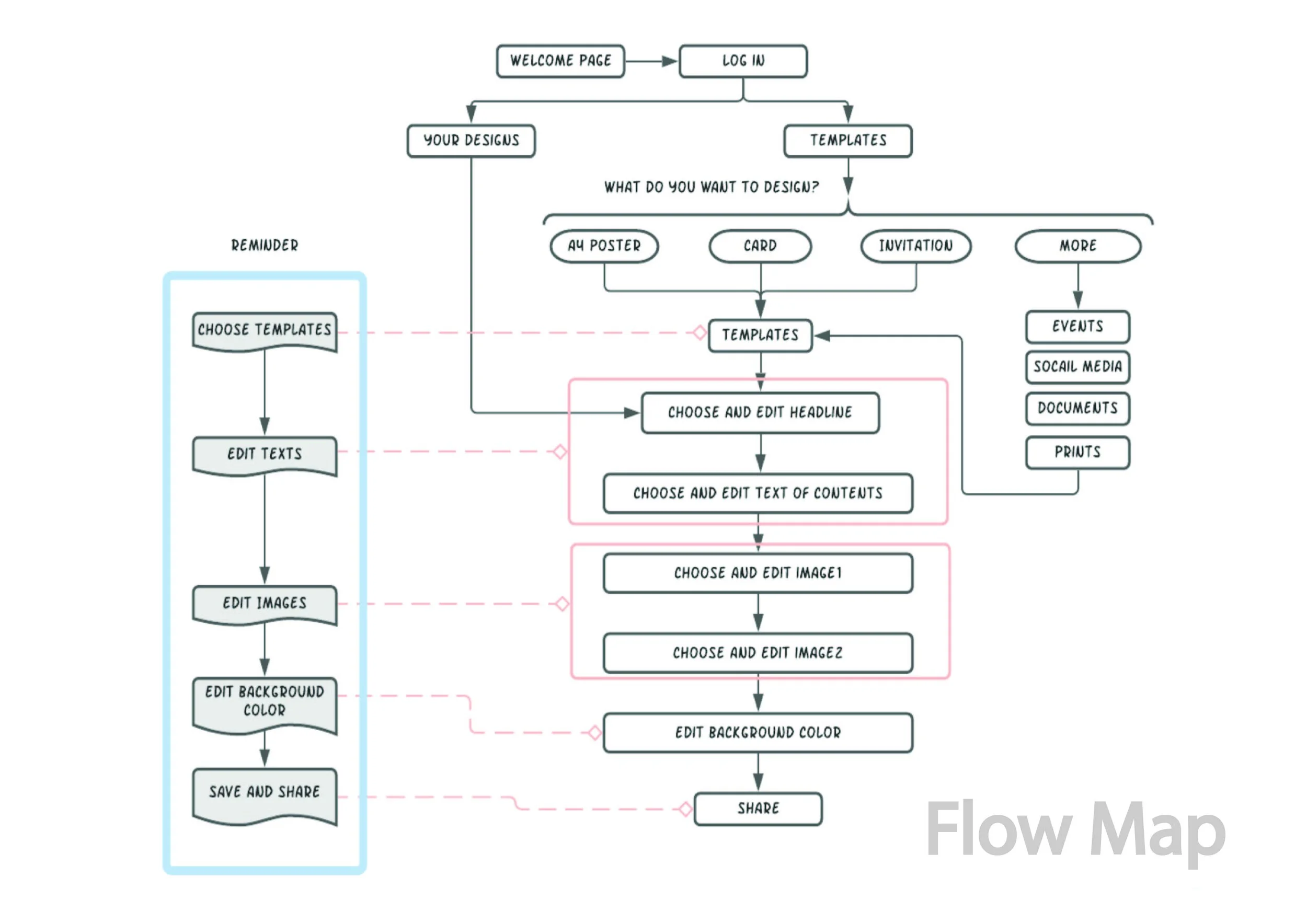
Flow Map
-
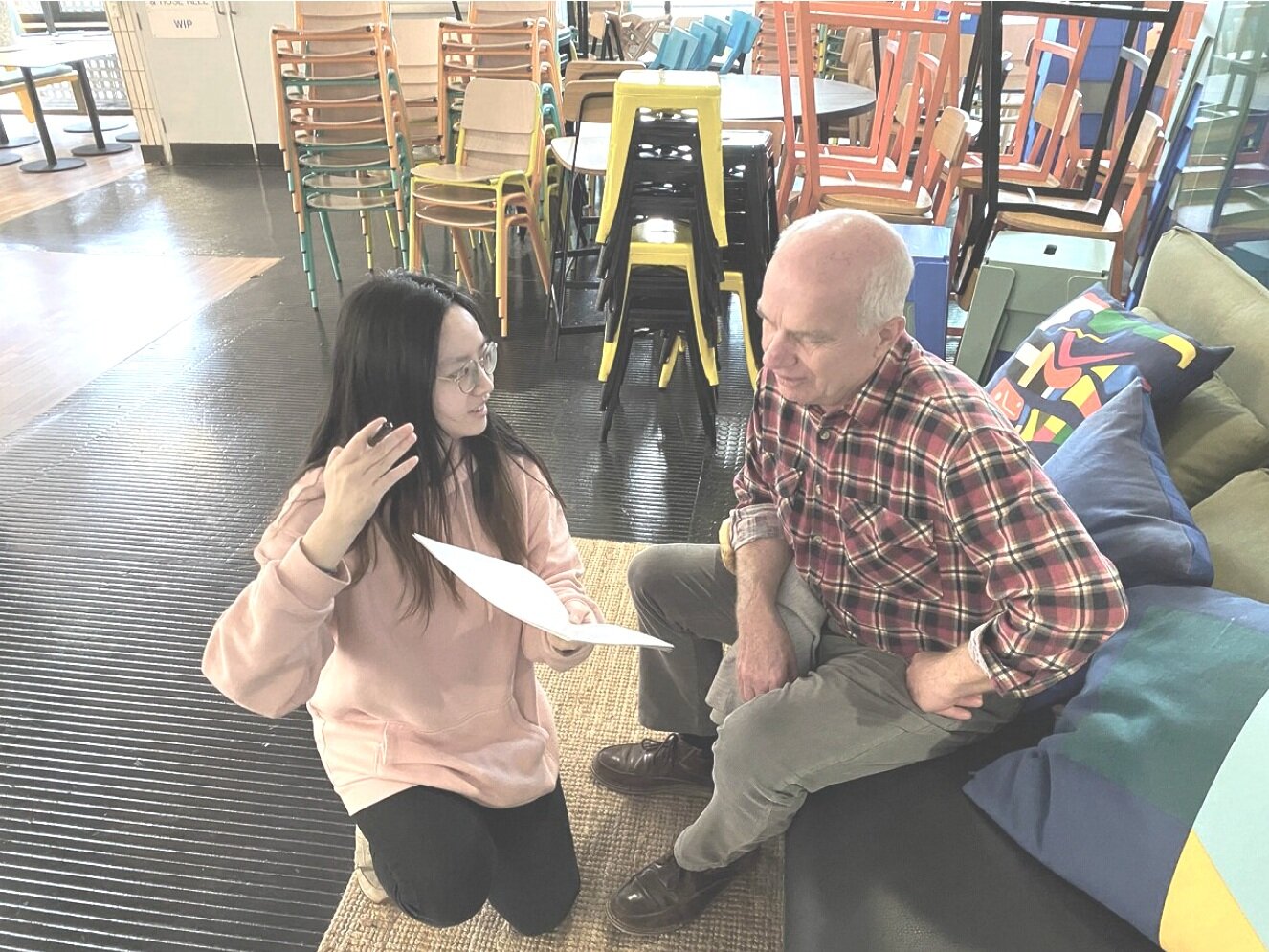
Interview
The Result
From the user research and user interviews, we notice the touch panel can reduce the elderly people response time significantly compared with mouse. And a linear user flow can give a strong design guide for the elderly people and avoid increasing the user cognitive load. In the paper user test, the user can edit the image easily without much backs and forwards. While saving state in each steps still need future research and tests. Due to time limits in this design project, we chose auto-saving in each steps when the user tap the “next“ button. This is because most of design jobs from elderly people considered as simple(which means less changing from the template), and our goal is to help elderly people finish their simple(unprofessional) design jobs.

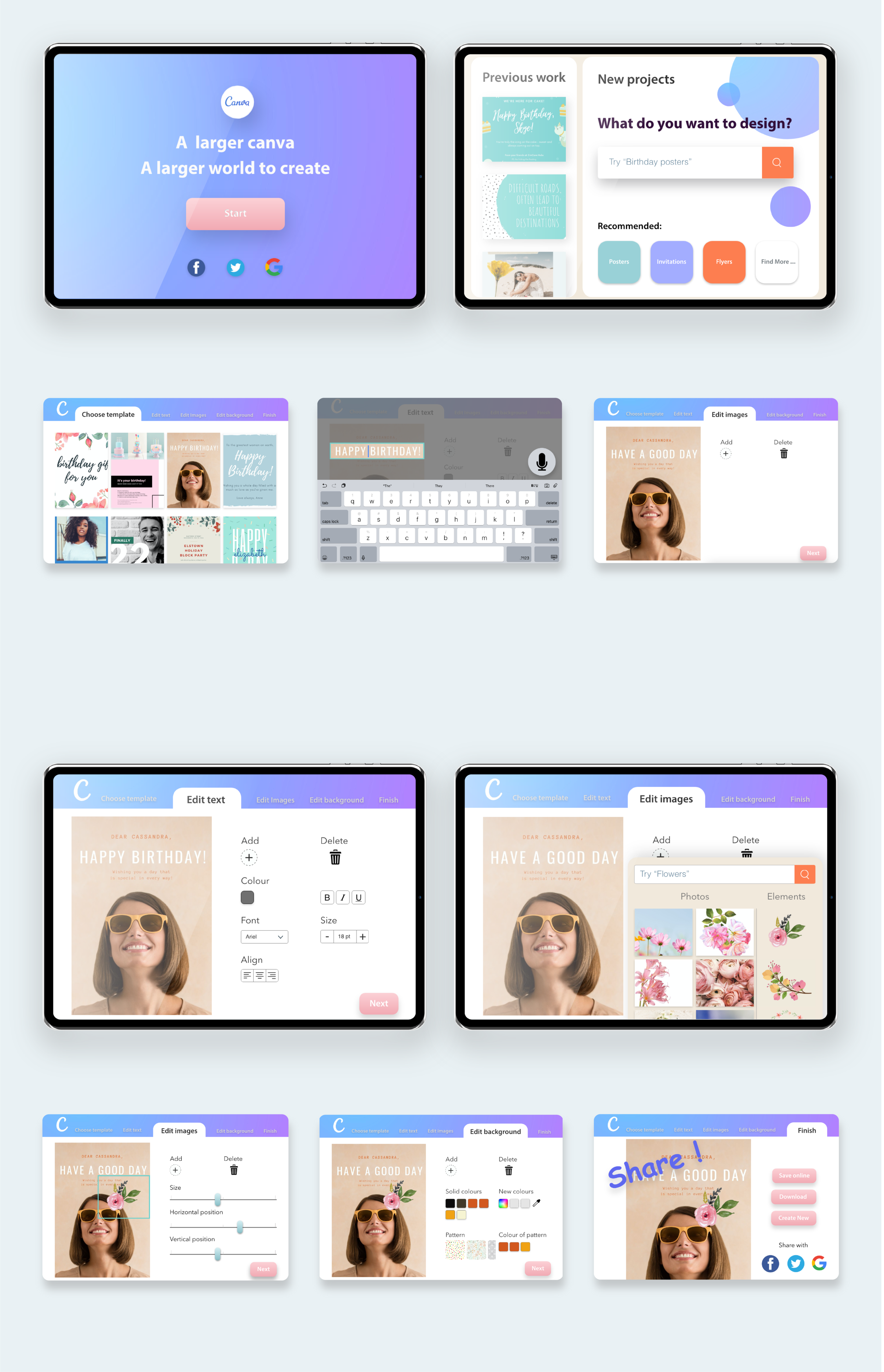
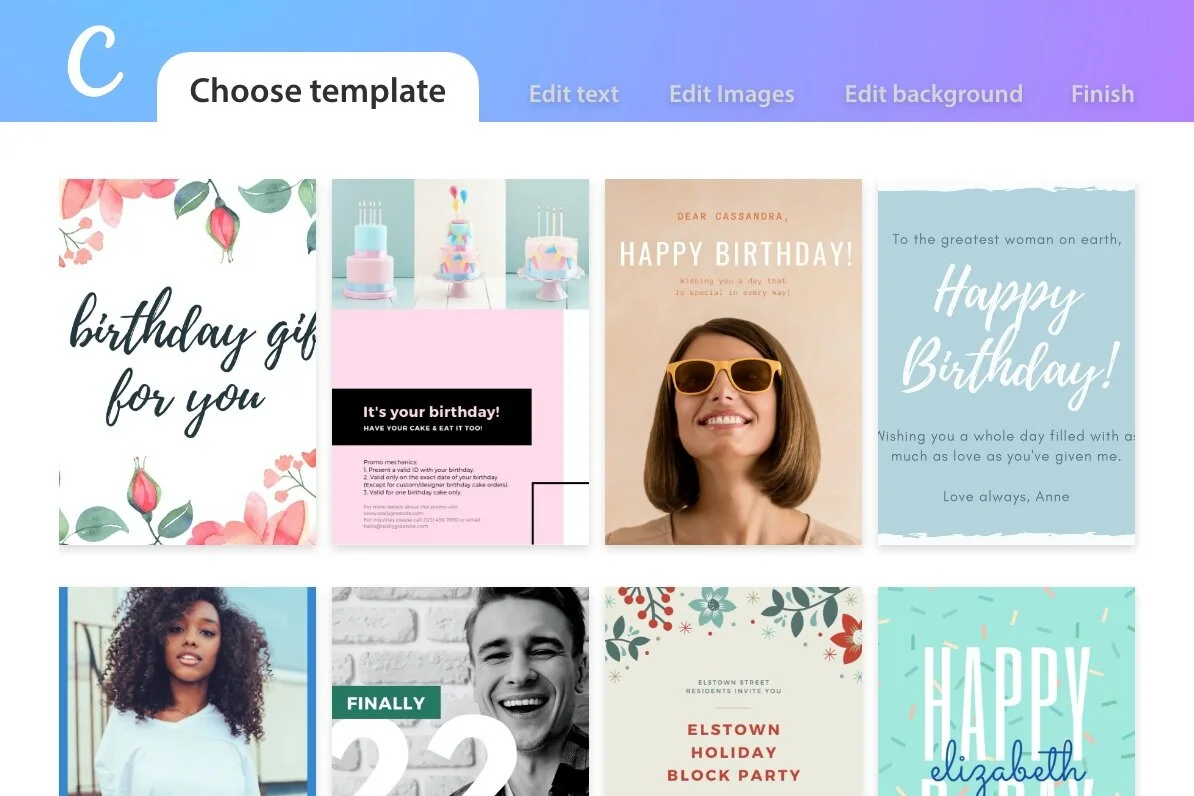
Step by step guideline
Use the step by step guideline to simplify the whole design process. By clicking the top bar, the elderly can smoothly go back to the before step if they forget the current stage

The final step “share“
When the user finishes their design, the “share“function is in the final step. Can enhance the link with family and old friends via different media to improve the social connection.
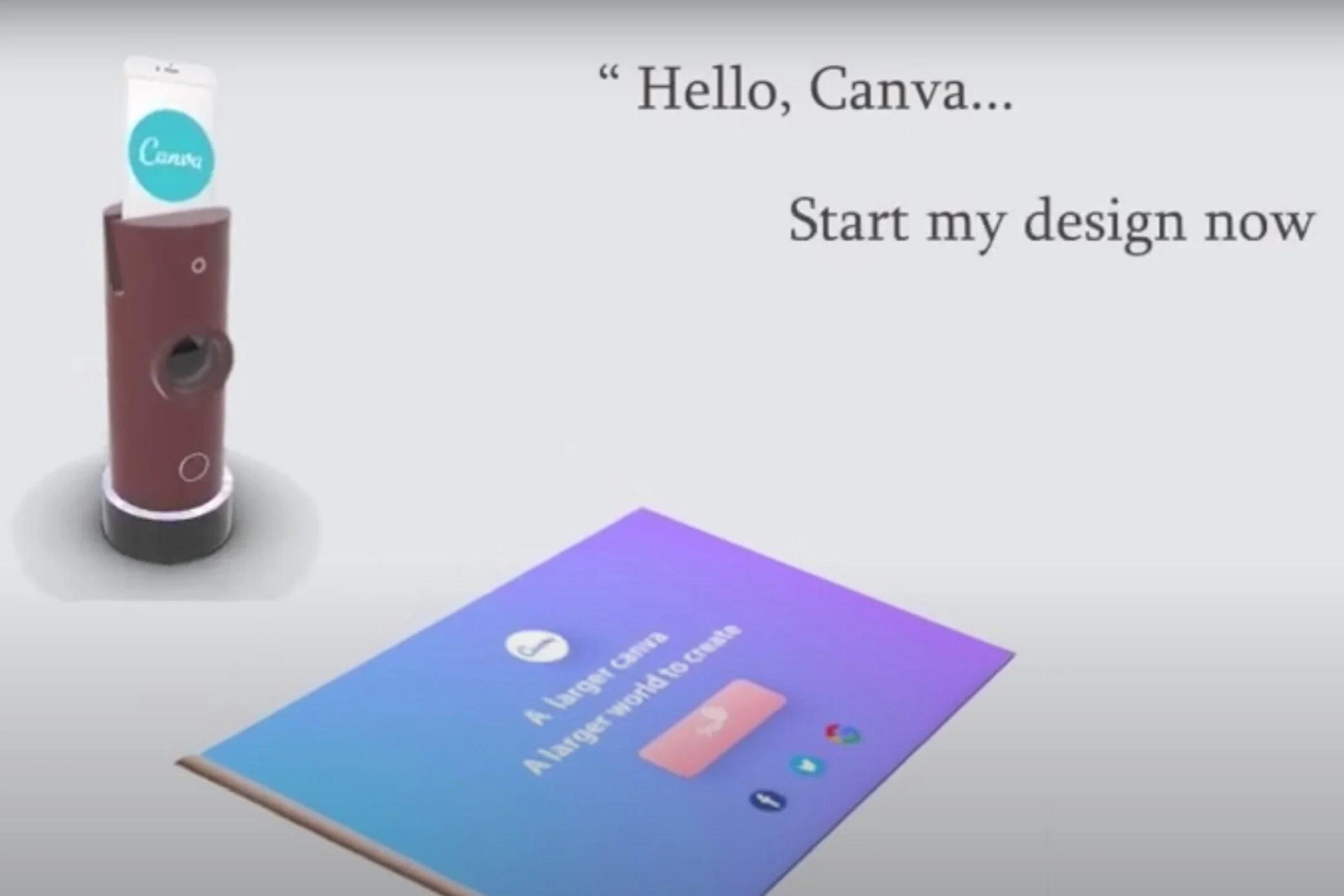
Voice control
Product-finished by teammate
Voice control can help the elderly finish the design task. Some elderly are hard to use the interface and talk with the AI assistant. It can help the elderly who have motor issues (hard to move hand or touch the interface).
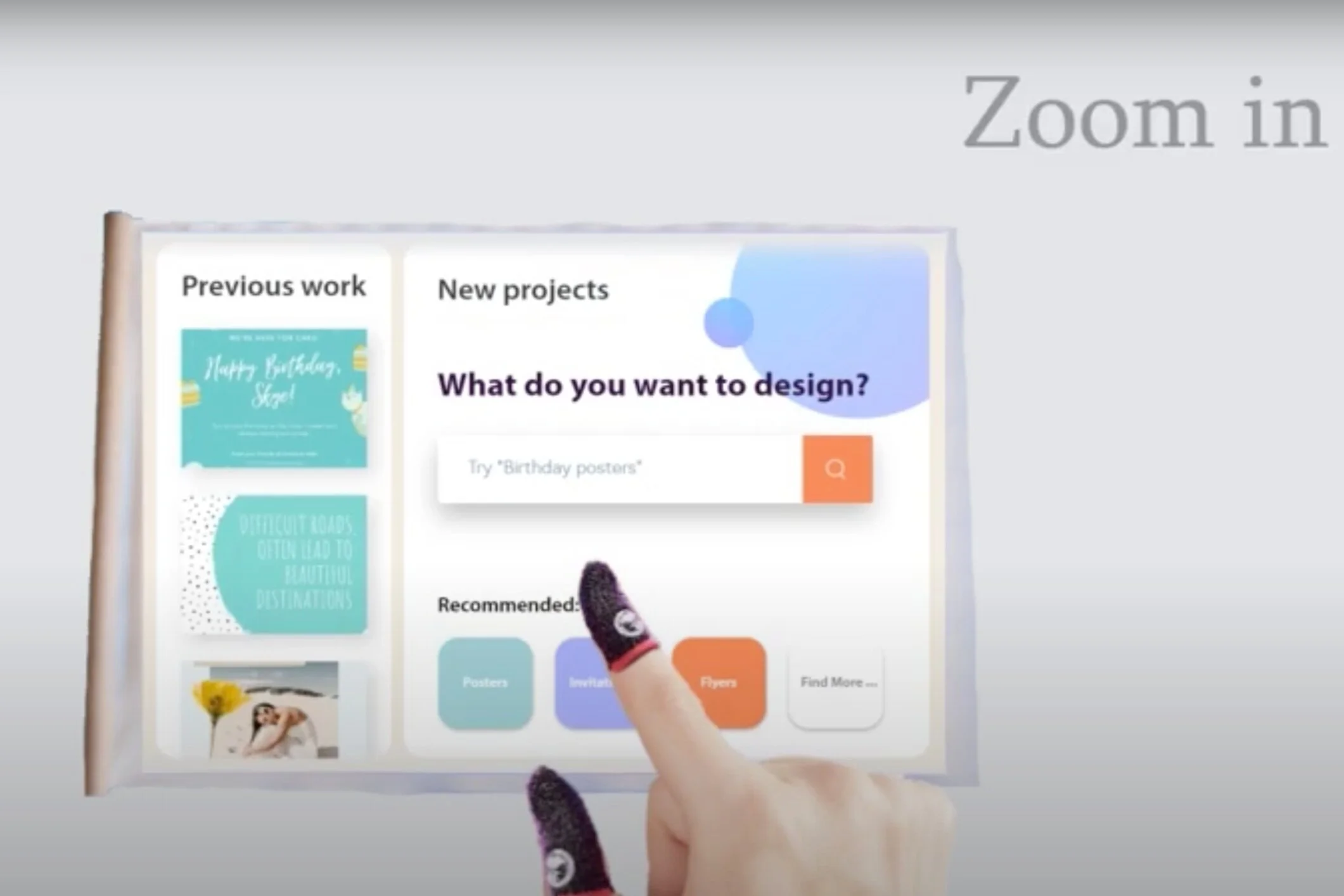
Enlarge the screen
Product-finished by teammate
Combine with the physical products (Canva kit). The elderly can enlarge the screen by using two fingers. Zoom in function and help elderly who suffer from visual declines (hard to see the screen) to see the page.